
TOPHFit
Intervall-Timer und Challenges für iPhone, iPad und Apple WatchFrage, Fehler oder Idee?
Schreib mir direkt über das Formular, ich antworte per E-Mail. Questions, bugs or ideas? Use the form (in German) or email me.
Support
TOPHFit ist der schlichte Intervall-Timer für Tabata, HIIT und Zirkeltraining – und zählt mit Challenges deine Tage. Auf iPhone, iPad und Apple Watch.
Version 2.0 ist bei Apple in Prüfung
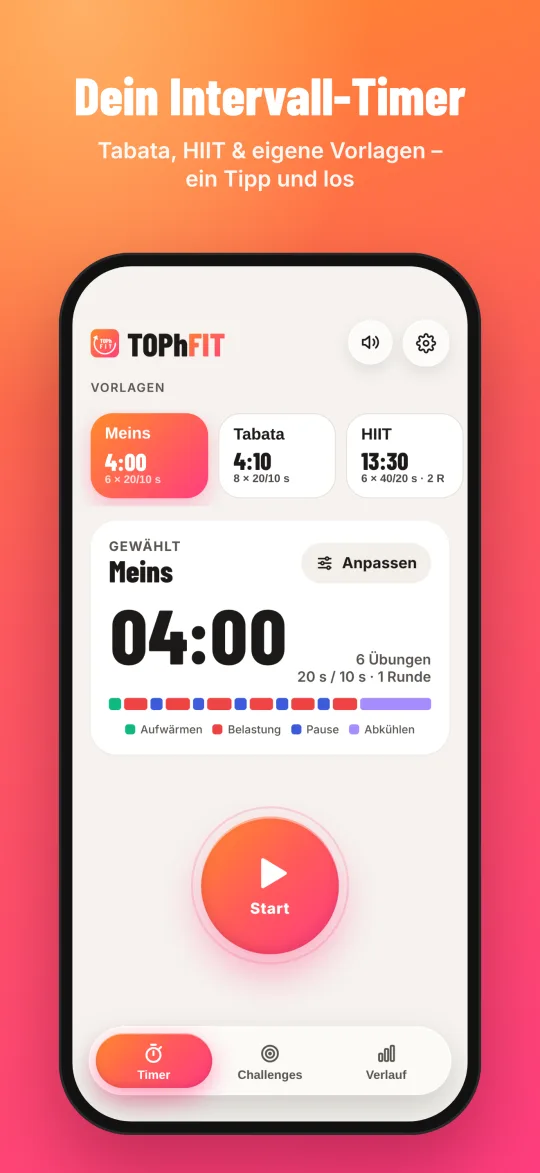
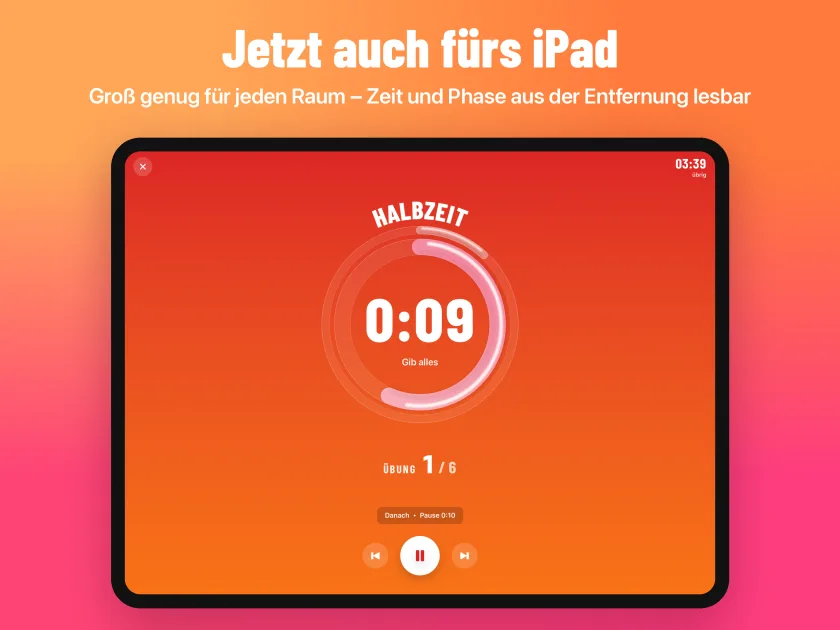
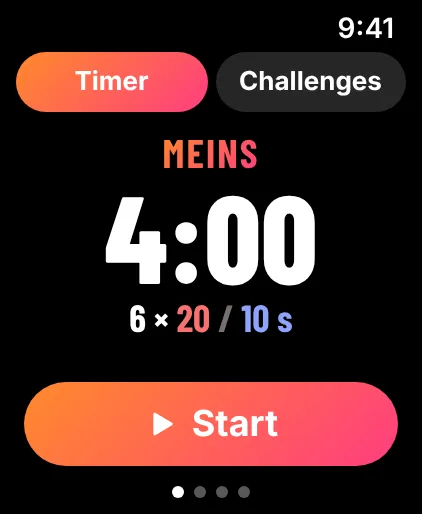
- Belastung, Pause, Übungen, Runden, Rundenpause, Aufwärmen und Abkühlen frei einstellen – mit Vorlagen für Tabata, HIIT und Sanft oder deiner eigenen
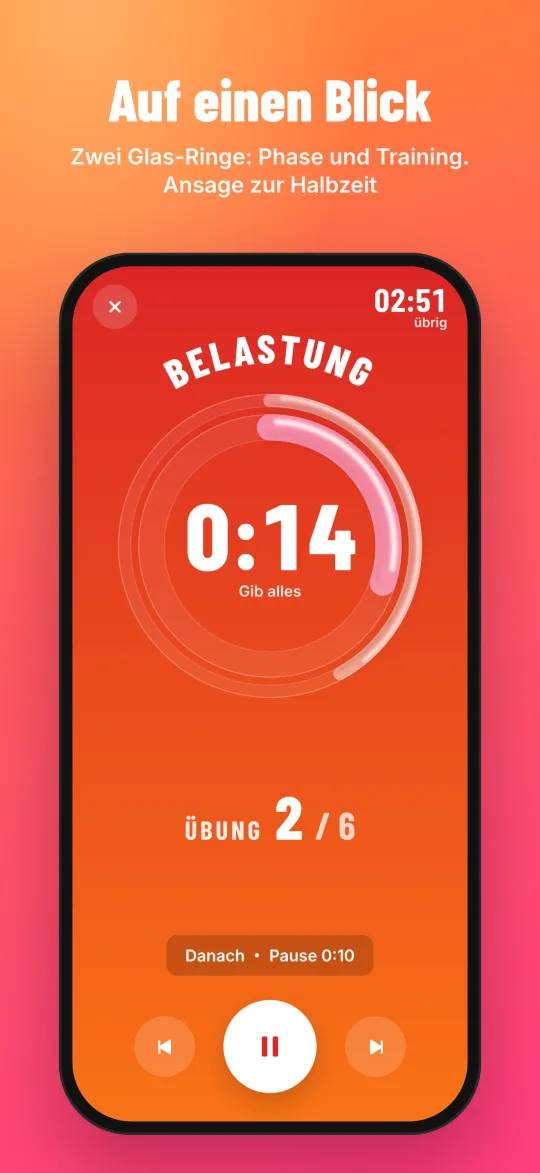
- Große Zahlen und zwei Ringe: außen das ganze Training, innen die aktuelle Phase
- Läuft auch bei gesperrtem iPhone – Gesamt-Restzeit auf dem Sperrbildschirm und in der Dynamic Island
- Countdown am Phasenende wählbar (3, 2, 1 oder aus), Signale, „Halbzeit“-Ansage und Gong am Ende
- Deine Musik läuft weiter: Lautstärke der Töne regelbar, Musik auf Wunsch während der Töne leiser
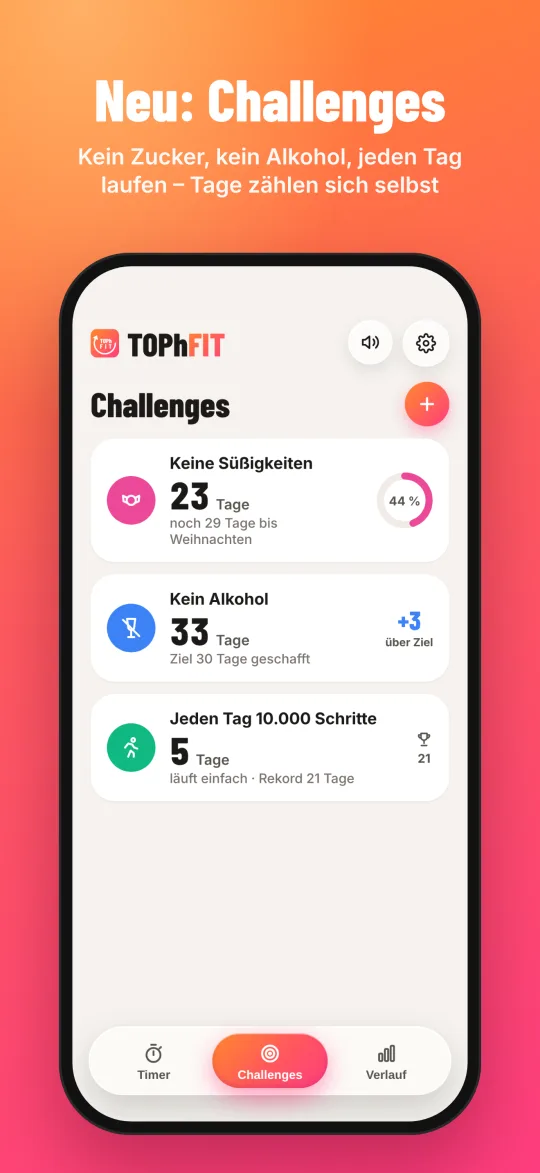
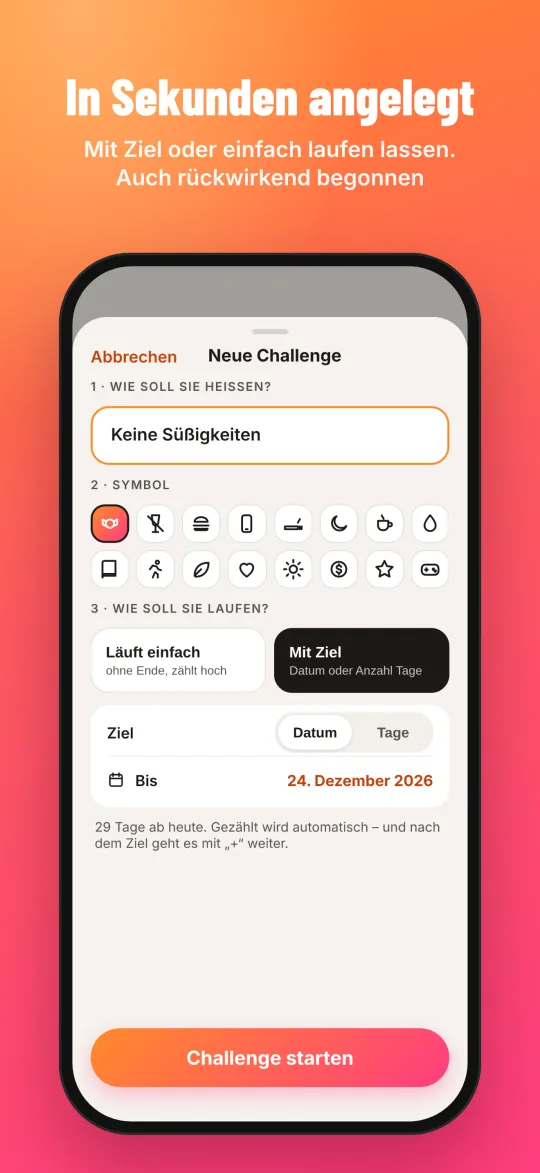
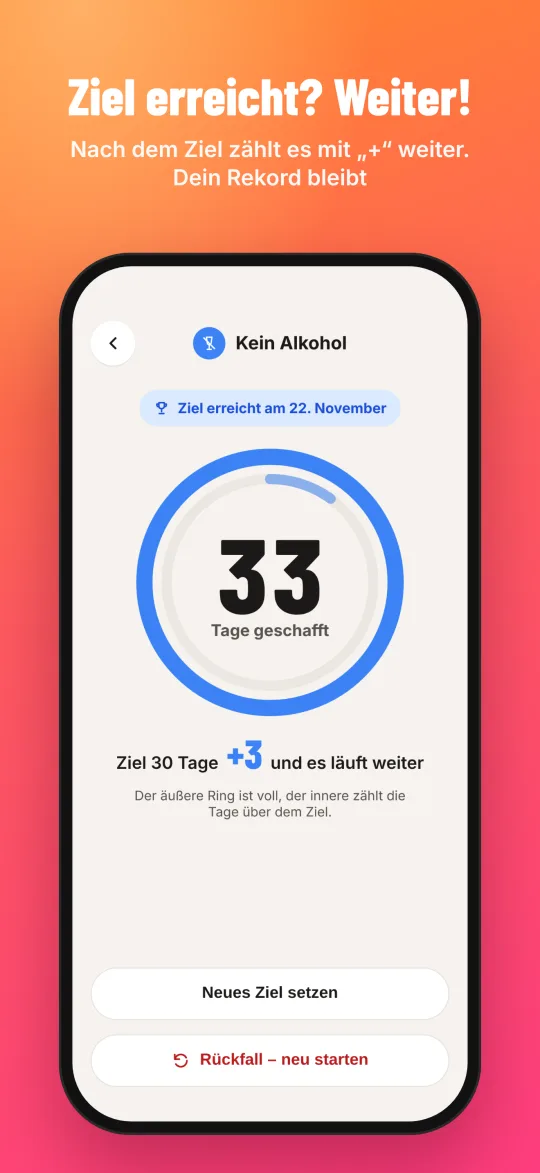
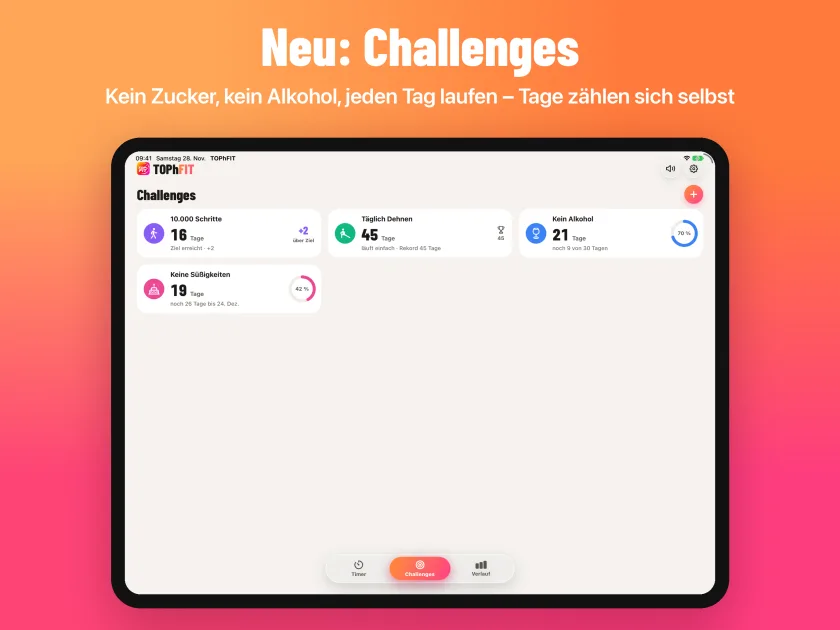
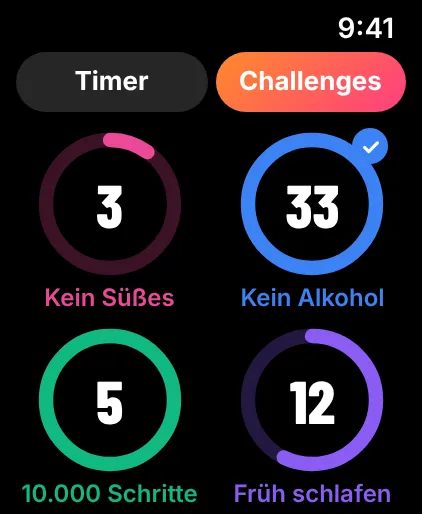
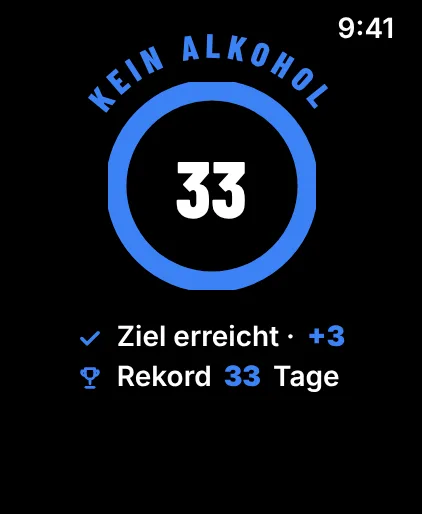
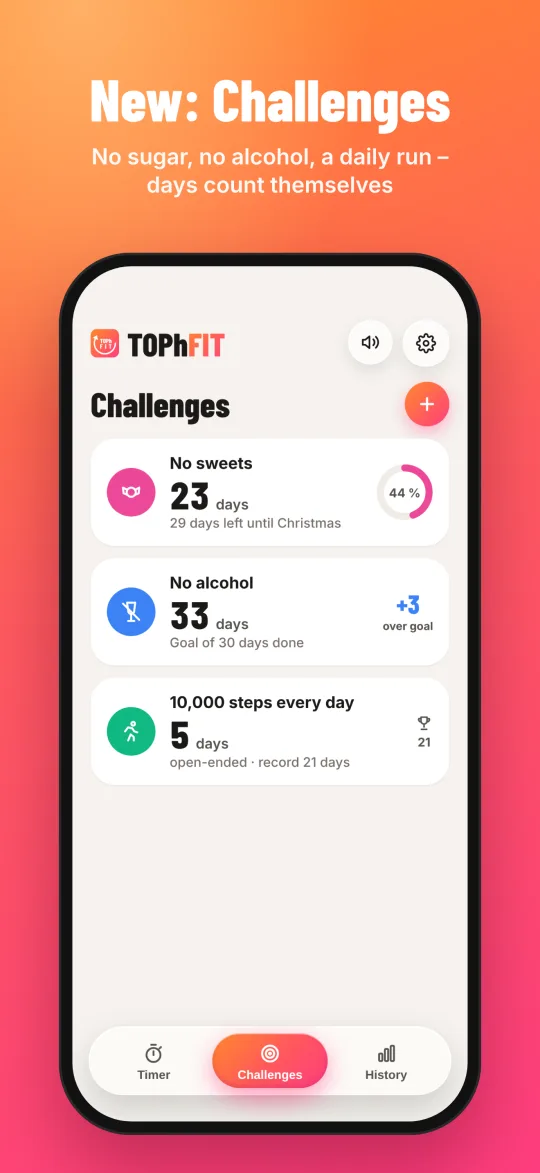
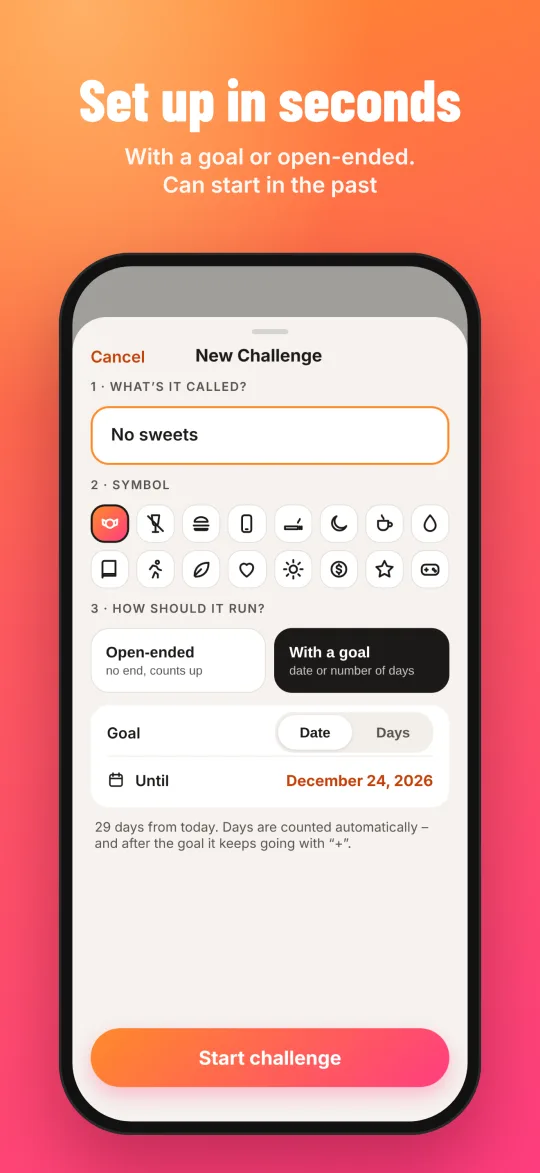
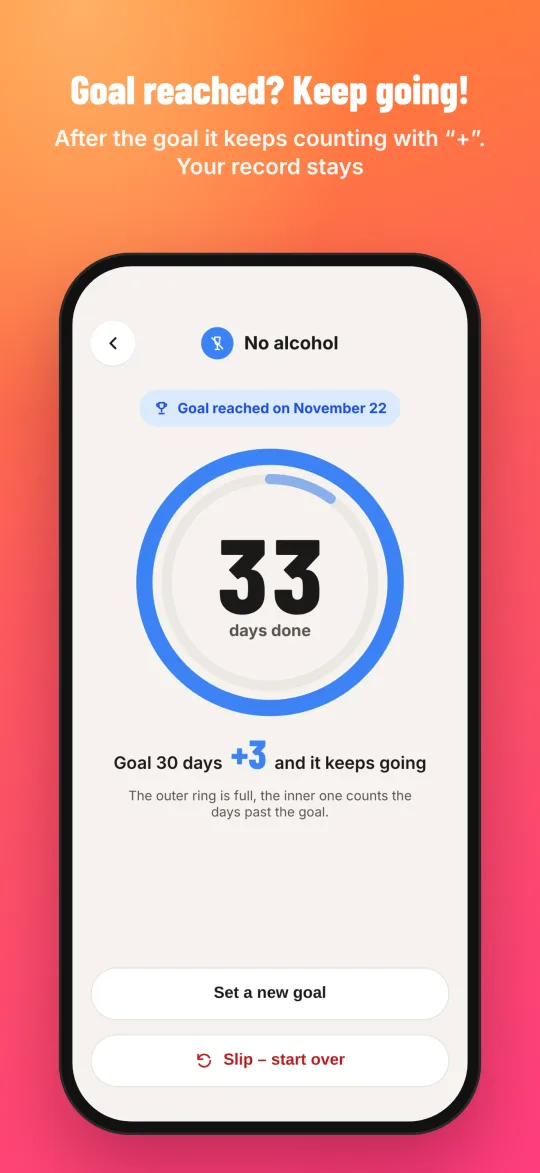
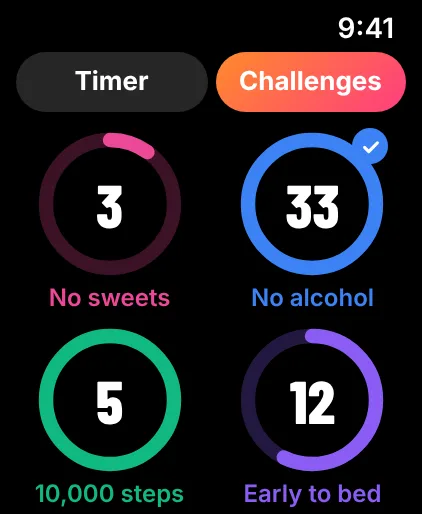
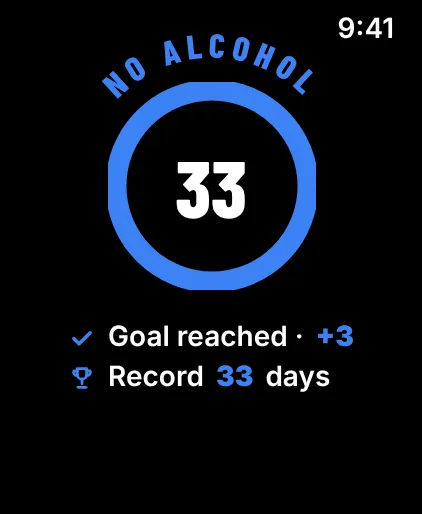
- Neu: Challenges – z. B. keine Süßigkeiten bis Weihnachten oder 30 Tage ohne Alkohol. TOPHFit zählt die Tage, nach einem Rückfall geht es neu los, dein Rekord bleibt
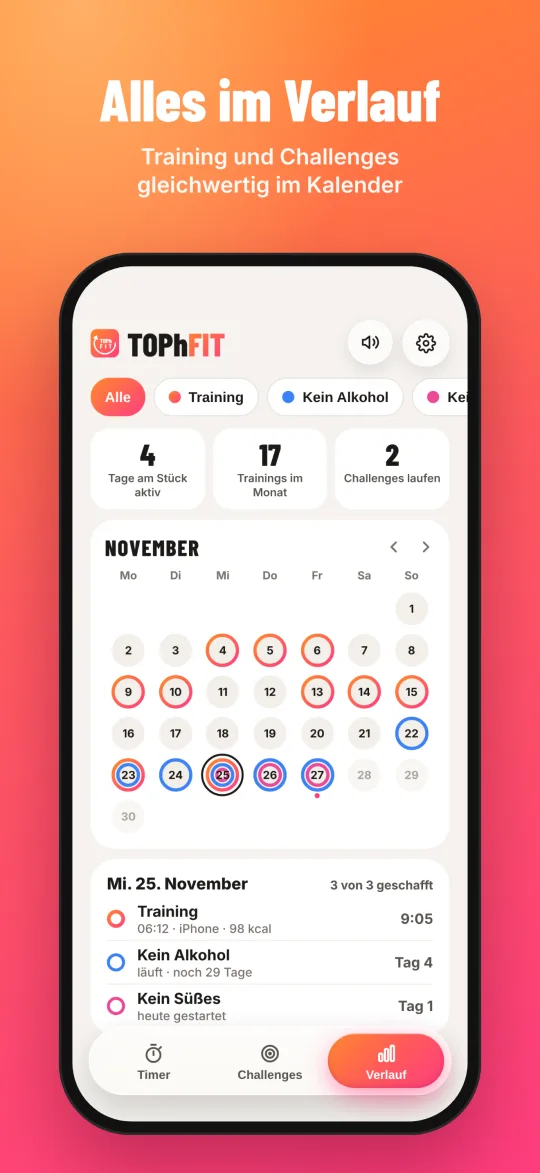
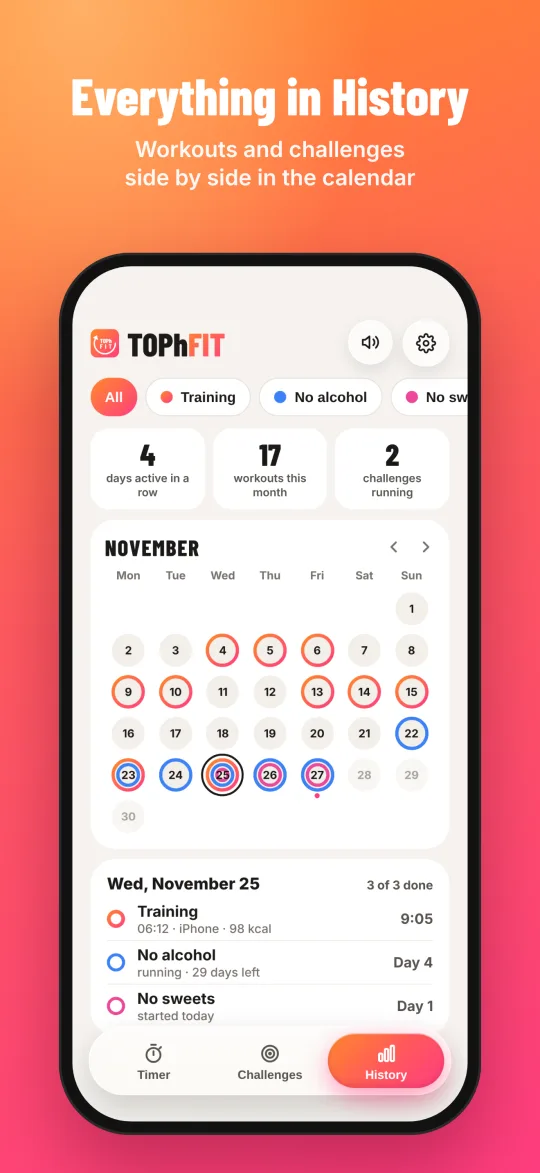
- Verlauf: Trainings und Challenges im Monatskalender, mit Serie
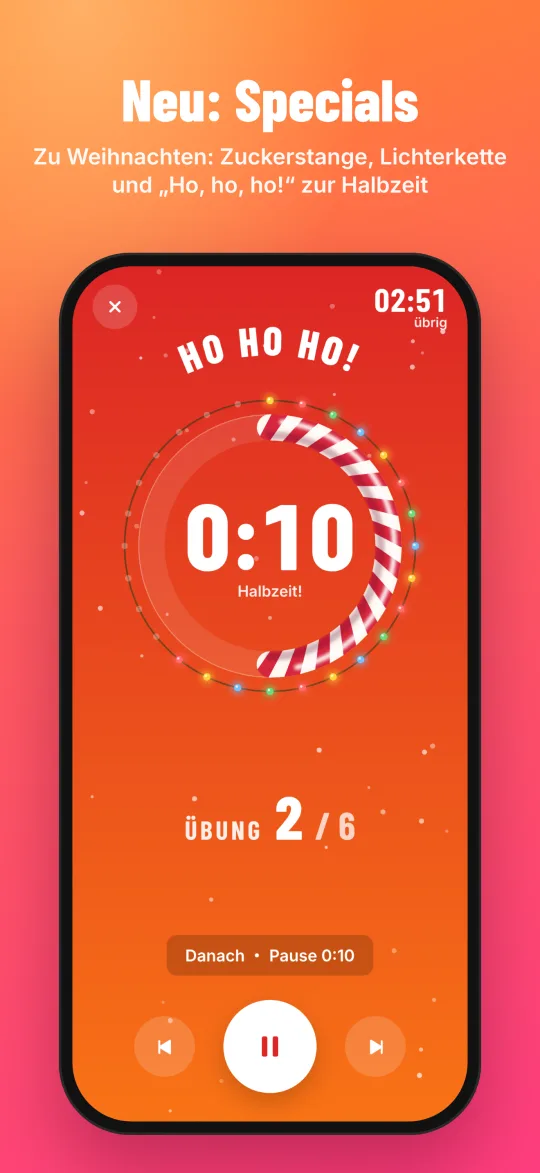
- Neu: Specials – zu Weihnachten mit Zuckerstange, Lichterkette und „Ho, ho, ho!“ zur Halbzeit
- Neu: iPad im Hoch- und Querformat – Challenges und eigene Vorlagen über iCloud auf iPhone und iPad gleich
- Apple Watch: Vibration, Puls live, Training mit kcal in Apple Health – und deine Challenges als Ringe
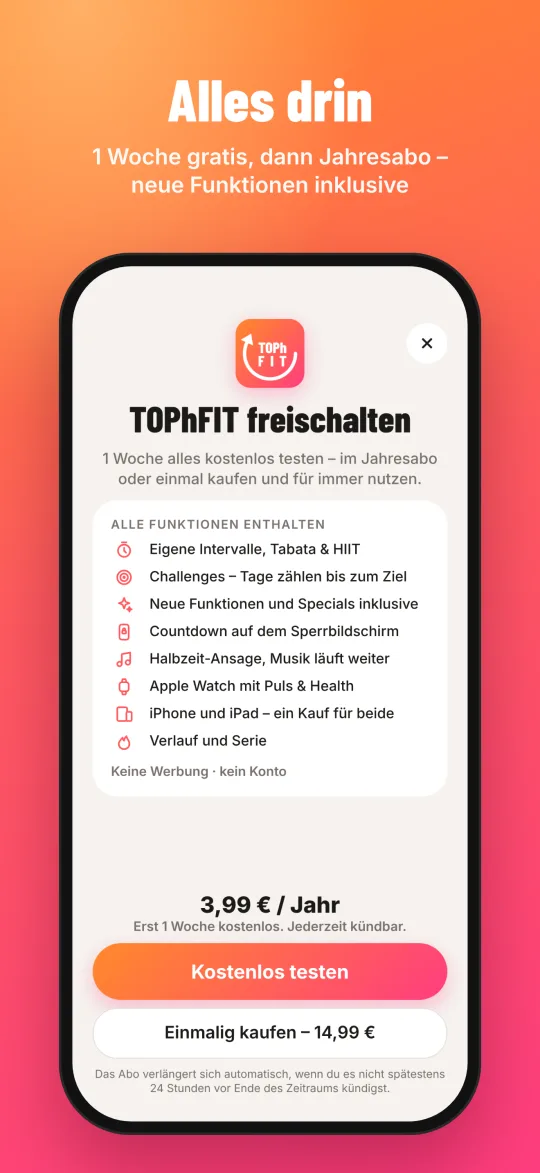
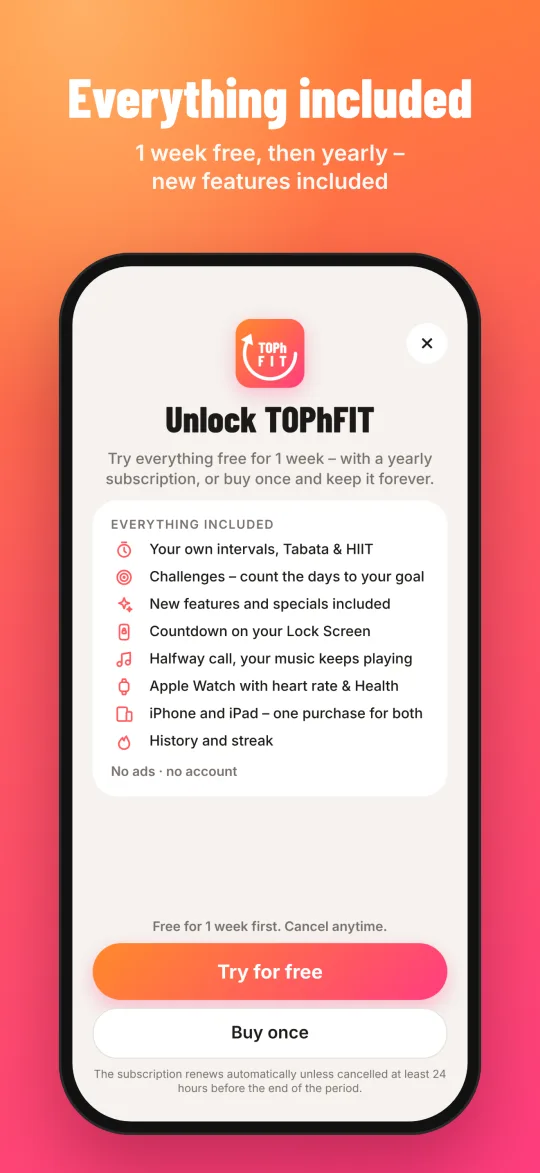
- 1 Woche kostenlos testen, danach 3,99 € im Jahr oder einmalig 14,99 €. Kein Konto, keine Werbung – wer schon gekauft hat, behält alles
Laden
TOPHFit gibt es im App Store für iPhone, iPad und Apple Watch.
Wünsche oder Fehler? Schreib mir über das Support-Formular oder direkt an mail@toph.info. Ich lese jede Nachricht und kümmere mich darum. Hilfreich sind Gerät (iPhone, iPad oder Watch), iOS-Version und ein Screenshot.
Häufige Fragen
Stoppt meine Musik?
Nein. TOPHFit spielt Töne und Ansagen über deine Musik, sie läuft einfach weiter. In den Einstellungen kannst du die Lautstärke der Töne regeln und die Musik während der Töne absenken lassen. Hörst du nichts, prüfe, ob in TOPHFit der Ton eingeschaltet ist.
Die Halbzeit-Ansage stört.
Zahnrad oben rechts → „Halbzeit-Ansage“ ausschalten. Die Specials (z. B. „Ho, ho, ho!“ zu Weihnachten) schaltest du dort unter „Specials“ ab.
Was kostet TOPHFit?
Eine Woche ist alles kostenlos. Danach im Jahresabo für 3,99 € oder einmalig für 14,99 € – für iPhone, iPad und Apple Watch zusammen. Wer TOPHFit schon gekauft hat, behält alles ohne Abo. Das Abo verlängert sich automatisch, wenn du es nicht spätestens 24 Stunden vor Ablauf kündigst.
Abo kündigen, Kauf wiederherstellen
Zahnrad → „Abo verwalten oder kündigen“, oder in den Einstellungen deines iPhones unter deinem Namen → „Abonnements“. Auf einem neuen Gerät: Zahnrad → „Käufe wiederherstellen“. Abo und Kauf gelten auf allen Geräten mit derselben Apple-ID.
Meine Challenges fehlen auf dem iPad.
Beide Geräte müssen mit derselben Apple-ID bei iCloud angemeldet sein. TOPHFit gleicht beim Öffnen ab, den Stand siehst du unter Zahnrad → „iCloud“.
Die Watch zeigt „Bitte TOPHFit auf dem iPhone öffnen und freischalten“.
TOPHFit einmal auf dem iPhone öffnen. Einstellungen, Challenges und Freischaltung werden automatisch übertragen.
Keine Restzeit auf dem Sperrbildschirm?
iPhone-Einstellungen → TOPHFit → „Live-Aktivitäten“ einschalten.
Kontakt
Fragen oder Feedback: Support-Formular oder mail@toph.info
Support
TOPHFit is the simple interval timer for Tabata, HIIT and circuit training – and counts your days with challenges. On iPhone, iPad and Apple Watch.
Version 2.0 is in review at Apple
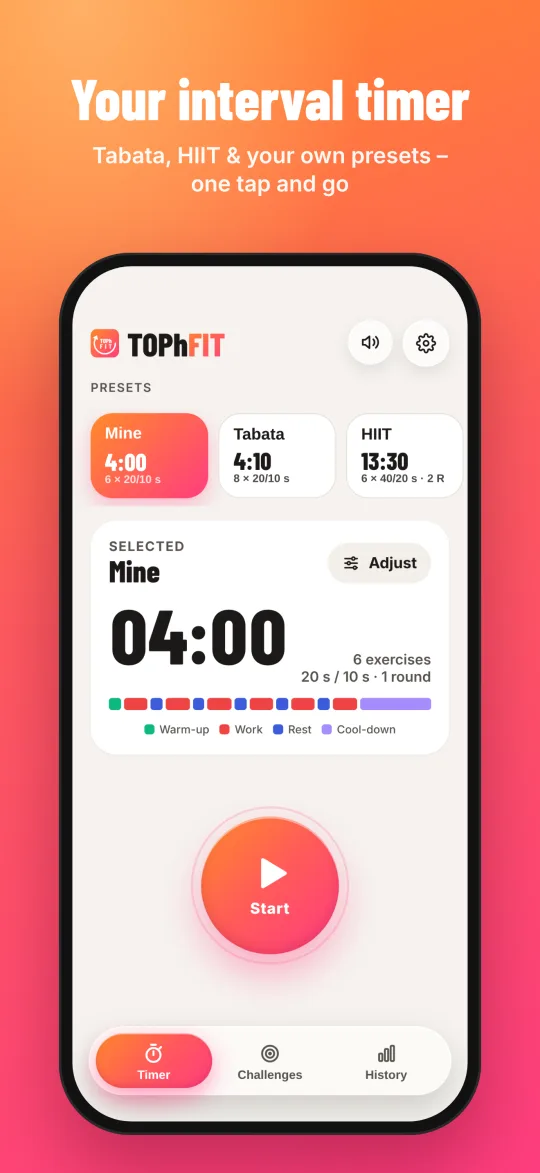
- Set work, rest, exercises, rounds, round rest, warm-up and cool-down – with presets for Tabata, HIIT and Easy or your own
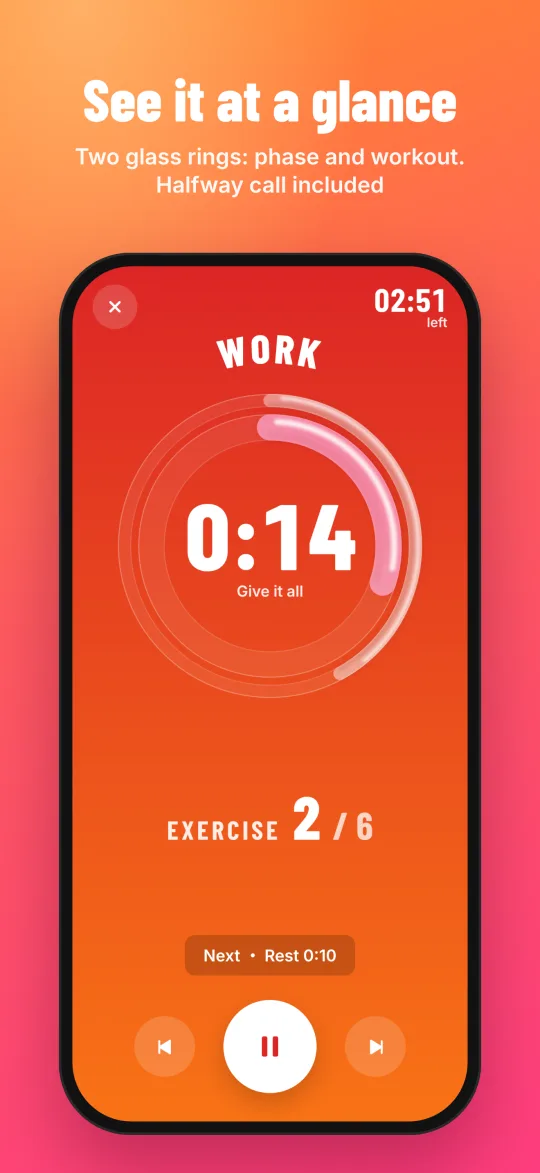
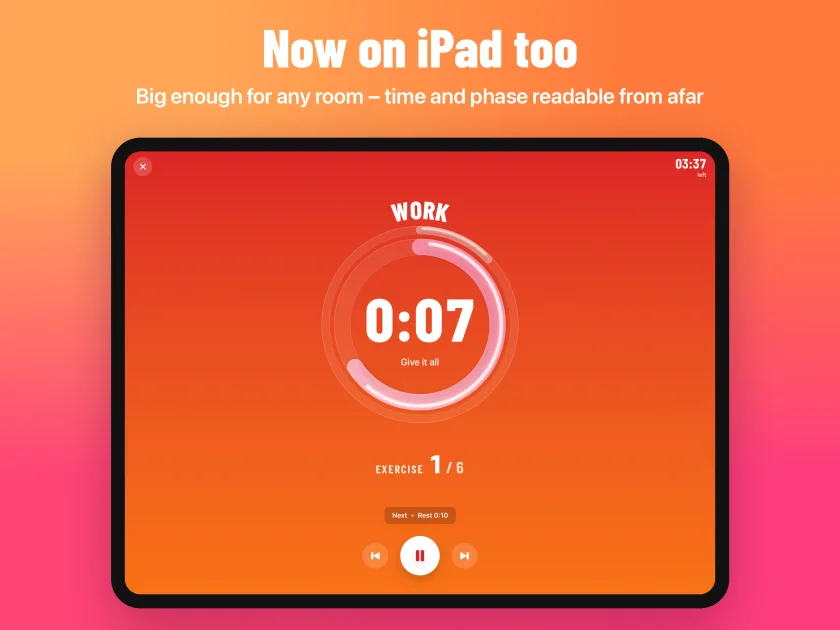
- Big numbers and two rings: outer for the whole workout, inner for the current phase
- Keeps running with your iPhone locked – total time left on the Lock Screen and in the Dynamic Island
- Choose your end-of-phase countdown (3, 2, 1 or off), cues, a “halfway” call and a gong at the end
- Your music keeps playing: adjust the sound volume, or lower the music during sounds if you like
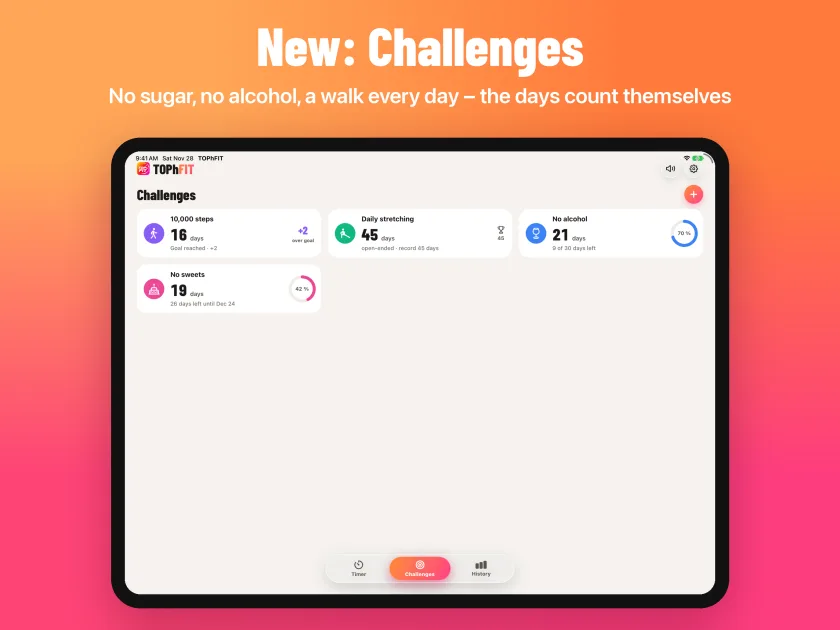
- New: Challenges – e.g. no sweets until Christmas or 30 days without alcohol. TOPHFit counts the days, after a slip you start over and your record stays
- History: workouts and challenges in a monthly calendar, with streaks
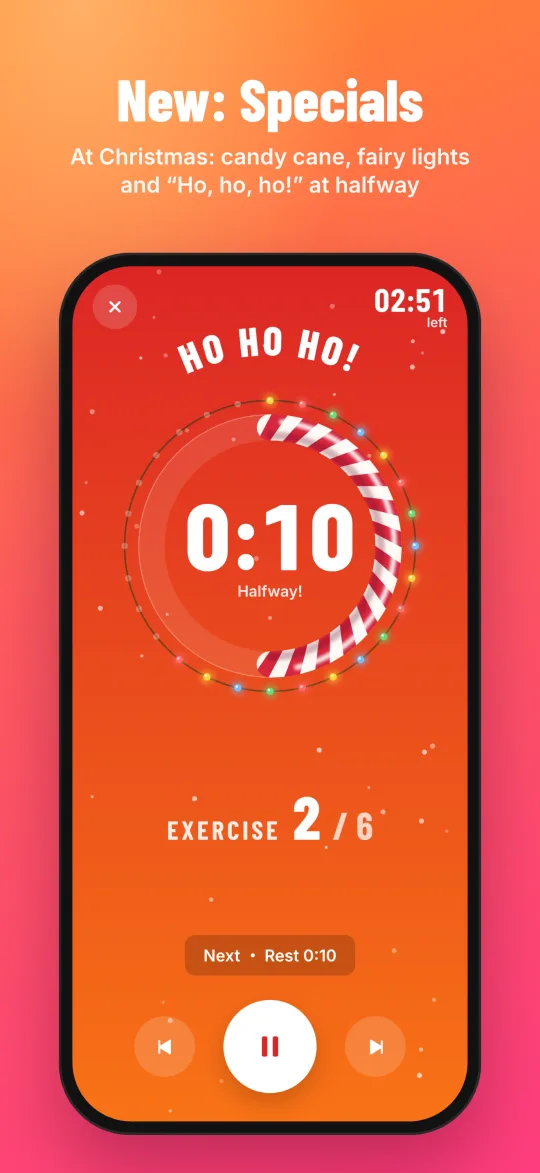
- New: Specials – at Christmas with a candy cane, fairy lights and “Ho, ho, ho!” at halfway
- New: iPad in portrait and landscape – challenges and your presets in sync between iPhone and iPad via iCloud
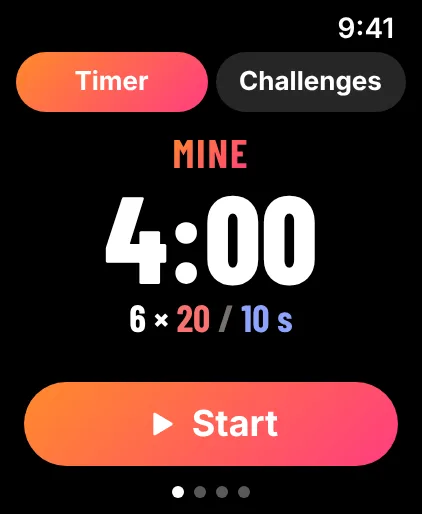
- Apple Watch: haptics, live heart rate, workouts with kcal in Apple Health – and your challenges as rings
- Try free for 1 week, then subscribe yearly or buy once. No account, no ads – if you already bought TOPHFit, you keep everything
Download
TOPHFit is available on the App Store for iPhone, iPad and Apple Watch.
Ideas or bugs? Use the support form (in German) or email me directly at mail@toph.info. I read every message and will take care of it. Your device (iPhone, iPad or Watch), iOS version and a screenshot help a lot.
FAQ
Does my music stop?
No. TOPHFit plays its sounds on top of your music; it simply keeps playing. In Settings you can adjust the sound volume and have the music lowered during sounds. If you hear nothing, check that sound is turned on in TOPHFit.
I don’t want the halfway call.
Gear icon (top right) → turn off “Halfway call”. Specials (such as “Ho, ho, ho!” at Christmas) can be turned off there under “Specials”.
What does it cost?
Everything is free for one week. After that, a yearly subscription or a one-time purchase – for iPhone, iPad and Apple Watch together. If you already bought TOPHFit, you keep everything without a subscription. The subscription renews automatically unless cancelled at least 24 hours before it ends.
Cancel the subscription, restore a purchase
Gear icon → “Manage or cancel subscription”, or in your iPhone settings under your name → “Subscriptions”. On a new device: gear icon → “Restore purchases”. Subscription and purchase apply to all devices with the same Apple Account.
My challenges are missing on iPad.
Both devices need to be signed in to iCloud with the same Apple Account. TOPHFit syncs when you open it; see the status under gear icon → “iCloud”.
The Watch says “Please open TOPHFit on your iPhone”.
Open TOPHFit once on your iPhone. Settings, challenges and your purchase are synced automatically.
No time left on the Lock Screen?
iPhone Settings → TOPHFit → turn on “Live Activities”.
Contact
Questions or feedback: mail@toph.info